Git merge conflicts
Enter and run the following code in the command line to create and resolve a git merge conflict.
Setup
Create a directory called animals, initialise it with git, add a .gitignore file, create a virtual environment in Python and install the pandas library.
mkdir animals # create directory
cd animals # switch to directory or open folder in VS Code
git init # track directory with git
git branch -m master main # change branch name to main
echo venv/ > .gitignore # add virtual environment to .gitignore
python3_12 -m venv venv # create a virtual environment
venv\Scripts\activate.bat # activate virtual environment
pip install pandas # install pandas library
Write some code
Create and run a python script (script.py). Here we have the speeds of land animals stored as a pandas dataframe.
echo # Speed of land animals > script.py # create a python file import pandas as pd
raw = {
'animal': ['Cheetah','Horse','Ostrich','Pig'],
'speed': [74.6,54.7,43.5,11]
}
df = pd.DataFrame(raw)
print(df)Stage the .gitignore and script.py files and commit.
git status # check status
git add . # stage files
git commit -m "Initial commit" # commit files
Create a branch
Create a new branch called rabbit and add the top speed of a rabbit to the dataframe.
git checkout -b rabbitimport pandas as pd
raw = {
'animal': ['Cheetah','Horse','Ostrich','Pig','Rabbit'],
'speed': [74.6,54.7,43.5,11,29.8]
}
df = pd.DataFrame(raw)
print(df)git commit -am "Added rabbit"Create a separate branch
Create a separate branch called tortoise and add the top speed of a tortoise to the dataframe.
git checkout main -b tortoise ## create a new branch from mainimport pandas as pd
raw = {
'animal': ['Cheetah','Horse','Ostrich','Pig','Tortoise'],
'speed': [74.6,54.7,43.5,11,0.2]
}
df = pd.DataFrame(raw)
print(df)git commit -am "Added tortoise" # stage and commit the changesMerge rabbit into main
Merge the rabbit branch into main.
git checkout main # switch to main
git merge rabbit # merge rabbit branch into main
git log script.py # check commit history
git log --oneline script.py # abbreviate commit history
Merge tortoise into main
Merge the tortoise branch into main.
git merge tortoiseAaaaaah!!! We have created a merge conflict which needs resolving in VS Code!!!
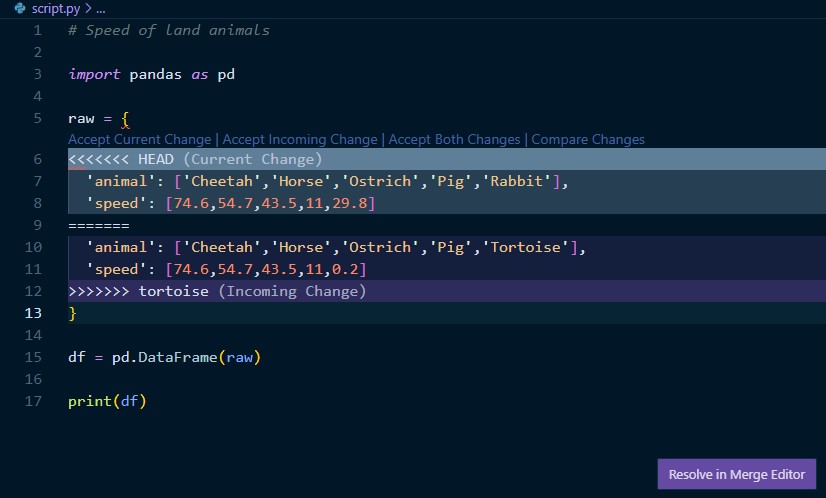
Open the Merge Editor and select ‘Accept Combination (Current First)’ in Current changes to merge both rabbit and tortoise branches into main.
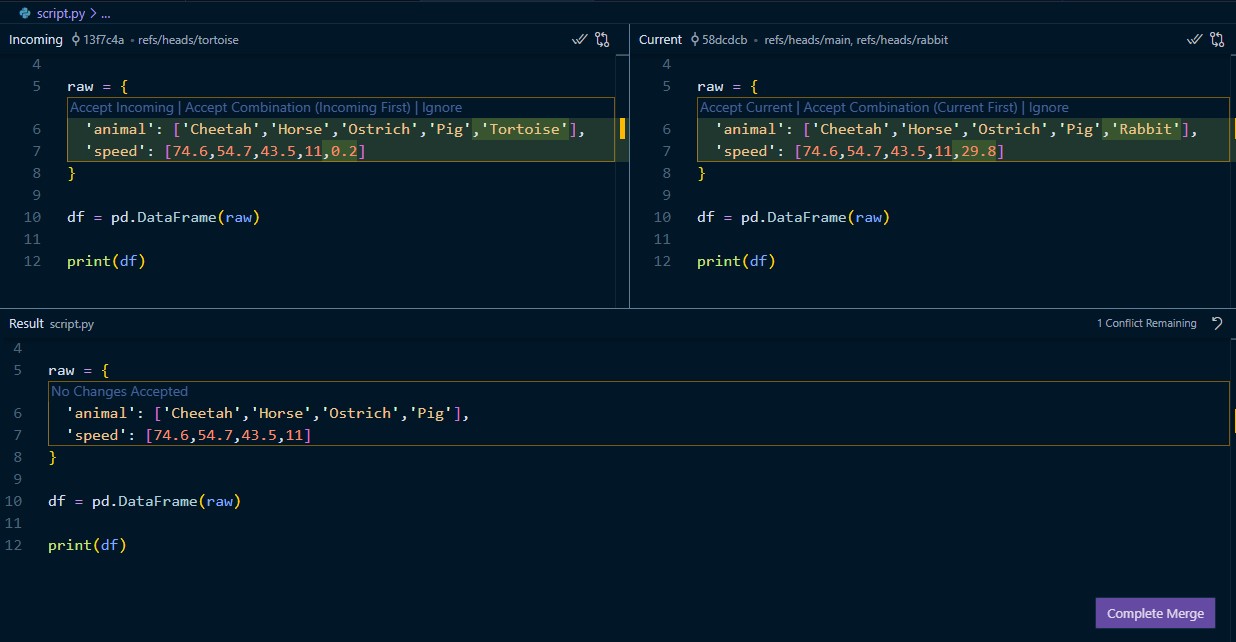
The values of rabbit and tortoise have now been added to the pandas dataframe in script.py. These changes are now ready to be staged and committed.
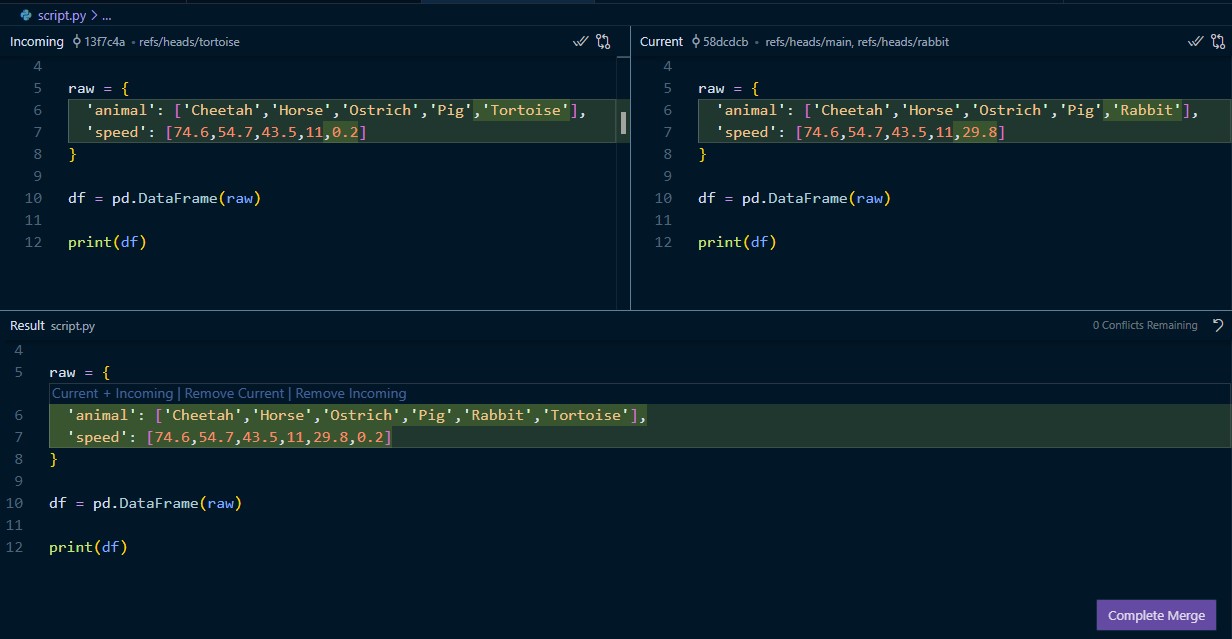
Resolve conflict and commit
Once the merge conflict has been resolved we can stage and commit script.py.
git commit -am "Fixed merge conflict"
git log --full-history script.py # check commit history